
Recently I started to use Piranha CMS on a project. Piranha CMS is a .NET 6 compatible content management system and comes with TinyMCE 5 as its editor. I wanted to extend TinyMCE and load additional plugins in my project. Here is how you can do the same.
Piranha CMS ships many TinyMCE plugins, but only the ones listed in your project's editorconfig.json are loaded. Add plugins to the plugins line and their buttons to the toolbar line, rebuild, and publish.
Available TinyMCE plugins in Piranha CMS
Because the latest Piranha CMS release is fully built for .NET 6, you need Visual Studio 2022. Open up your project, and in Solution Explorer click through to:
-> core
  -> Piranha.Manager.Tiny.MCE
    -> assets
      -> tinymce
        -> plugins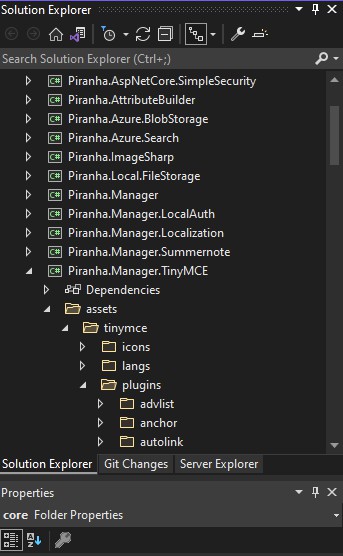
You'll see a lot of available plugins, but not all are loaded and available in the admin panel. These need to be configured first.
Configure TinyMCE plugins in editorconfig.json
Configure which TinyMCE plugins are available in the editorconfig.json file of your project. It contains a plugins line listing the loaded plugins, and a toolbar line with the buttons shown in the editor toolbar.

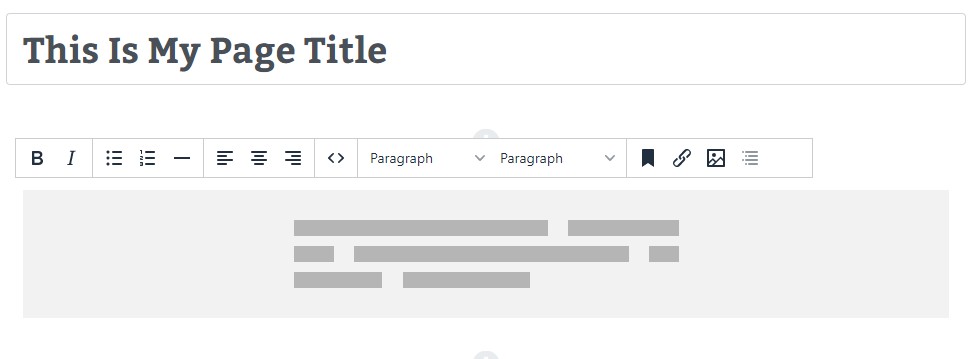
You can add more plugins to the plugins line, and plugins that have a toolbar button available can be added to the toolbar configuration line. For example, I added code, toc and template as plugins, and I added code and toc to the toolbar. After that, the editor in the admin panel shows the additional buttons for these TinyMCE plugins in its toolbar.

Conclusion
To sum it up, all you need to do is add plugins to your editorconfig.json file, rebuild your project, Web Deploy publish it, and you're ready to go. Unfortunately, the Page Embed plugin to add a Google Map is a premium plugin.
Hosting your .NET CMS on IIS yourself? Keep these tips on ASP.NET performance in mind.