
Here is a short PowerShell snippet for you to remove a computer object from Windows Server Update Services (WSUS). In an elevated PowerShell session, adjust the following to your environment and execute:
$WSUS_server = 'wsus-srv-01'
$UseSSL = $True
$Port = 8531

[reflection.assembly]::LoadWithPartialName("Microsoft.UpdateServices.Administration") | Out-Null
$Wsus = [Microsoft.UpdateServices.Administration.AdminProxy]::GetUpdateServer($WSUS_server,$UseSSL,$Port)

$client = $wsus.SearchComputerTargets("srv-01")
$client.delete()
This removes the server named "srv-01" computer object from WSUS on host wsus-srv-01.
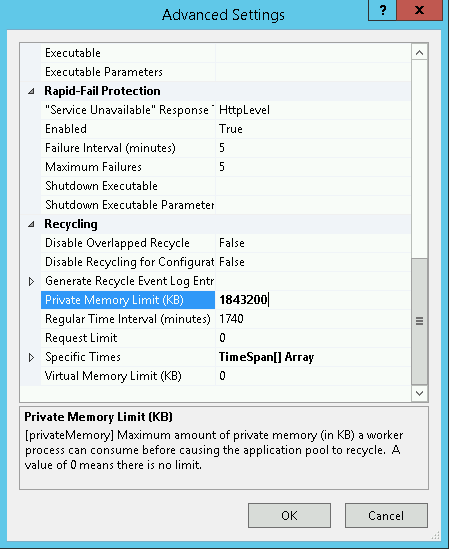
WsusPool keeps stopping? Sometimes you find your WSUS server keeps crashing over and over again. The WSUS application pool periodically stops, WSUS is unavailable and/or the WSUS management console hangs. Learn how to improve WSUS availability and increase IIS Private Memory Limit.
Are updates getting stuck or is downloading via WSUS extremely slow? You can force BITS to download WSUS updates in the foreground to immediately speed up the process. Additionally, ensure that the latest Servicing Stack Update (SSU) is installed via PowerShell to prevent installation errors.