
Windows Defender: Turn off routine remediation (DisableRoutinelyTakingAction)
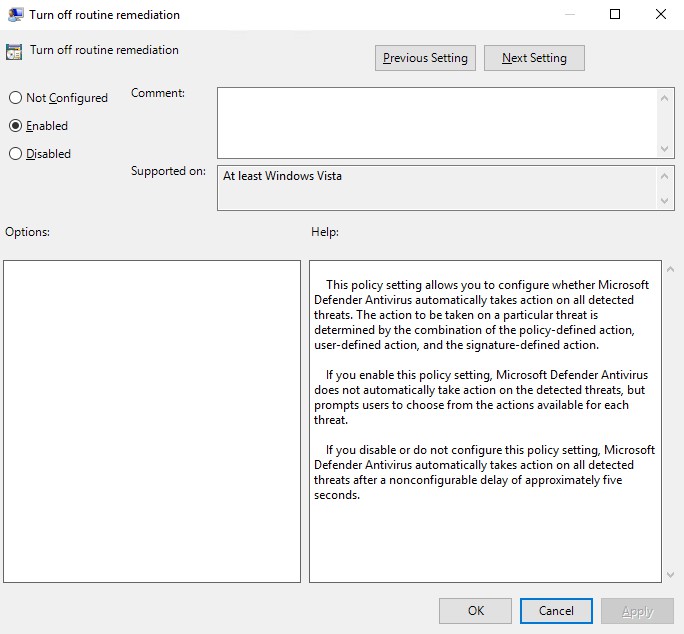
Turn off Windows Defender routine remediation using a GPO setting called "DisableRoutinelyTakingAction". This policy setting allows you to configure whether Microsoft Defender Antivirus automatically takes action on all detected threats.











![[HttpException (0x80004005): The length of the URL for this request exceeds the configured maxUrlLength value.]](https://cdn.saotn.org/wp-content/uploads/2025/06/Length_of_URL_for_request_exceeds_maxUrlLength_value-11-150x150.png)

