YubiKey support in OpenSSH for Windows 11
Secure your Windows 11 environment by moving SSH private keys to hardware. Learn how to configure YubiKey FIDO2/U2F support in native OpenSSH, manage the ssh-agent, and eliminate file-based credential risks.
Block PHP files like sendmail.php on Windows Server IIS webservers. This comes in handy if a websites on your webserver sends out spam and you need to block access to a script on a specific website or globally in IIS. Here are 3 methods.
Learn how to add VirtIO drivers to your Windows Recovery Environment (Windows RE) to recover your Windows virtual machines. Using Powershell of course and Windows Server 2022.
Storing SSH public keys in Windows Server Active Directory gives you a single location where you manage public SSH keys instead of on numerous separate servers. This is easier than distributing and managing numerous unmanaged authorized_keys files across your network and servers.
Learn how to install SQL Server cumulative updates (CU) silently using PowerShell opposed to the cumbersome task of running the GUI installer.
Add, list, and remove IP addresses in Windows Firewall (PowerShell & netsh): How to bulk add IP addresses in Windows Firewall, list an IP address and how to remove all IP addresses from Windows Defender Firewall with Advanced Security.
For the time being, some manual labor is involved, but it is still manageable. You can use this to create your own solution to block offending IP addresses in SQL Server’s firewall.
Native support for HTTP/3 in Windows Server 2022, jeej! Host HTTP/3 web services in Windows
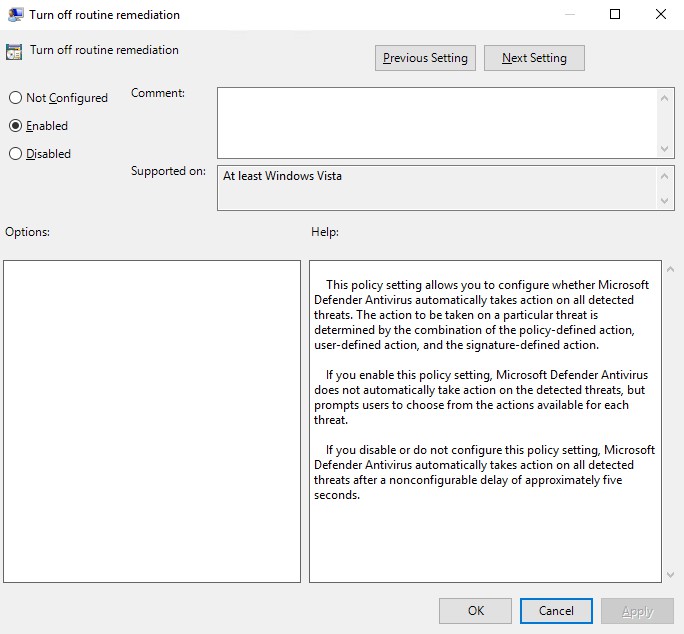
Turn off Windows Defender routine remediation using a GPO setting called “DisableRoutinelyTakingAction”. This policy setting allows you to configure whether Microsoft Defender Antivirus automatically takes action on all detected threats.
Use IIS Manager to administer various components of your website through a graphical user interface (GUI) if it’s hosted in Windows Server IIS. In this article you’ll learn how to install and setup IIS Manager in Windows 11/10 to manage your website(s).
Learn how to enable HSTS (HTTP Strict Transport Security) in Linux Apache .htaccess. I wrote about enabling HTTP Strict Transport Security (HSTS) in IIS earlier. But what about enabling HSTS in Apache .htaccess? Here is how.
Easily find out whether an update or patch is installed. Or not… With PowerShell
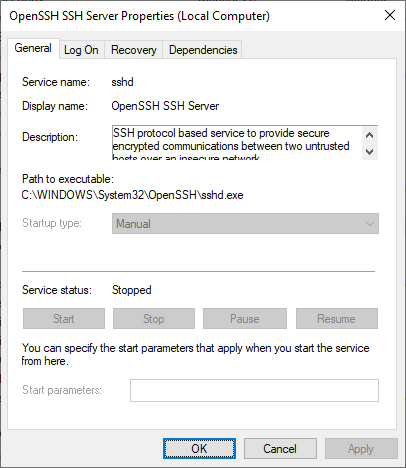
Learn how to install and enable the built-in OpenSSH Server on Windows, customize its installation directory and configure your `sshd_config` file.
Follow this if you have no more need for Windows Server IIS and want to remove IIS completely from Windows Server using PowerShell
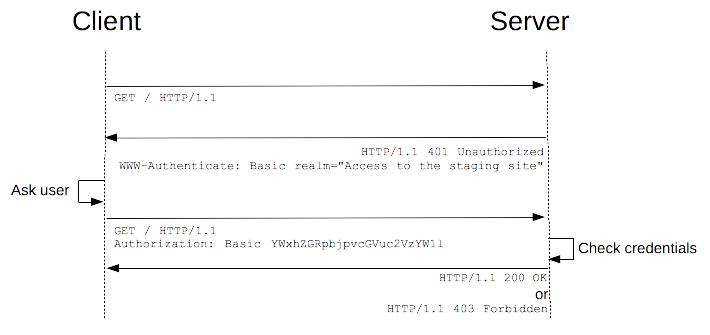
HTTP Basic Authentication managed module for IIS enables HTTP Basic Authentication with virtual user support in Windows Server IIS.
Find vulnerable WordPress plugins fast using PowerShell on Windows Server and IIS
Securing the WordPress uploads folder is important. In many hacked WordPress sites, a PHP backdoor is found within the WP_CONTENT_DIR/uploads directory. Often because this is the location where uploads are placed automatically. From the backdoor within wp-content/uploads other backdoors are uploaded to various locations, and scripts are injected with malware.
In this post, I will show you how to connect to your KVM VMs (virtual machines) in Windows 10 via SSH using virt-manager (Virtual Machine Manager) and qemu+ssh://. This allows you to manage your virtual machines from Windows.
Install Servicing Stack Updates (SSU) for Windows Server 2012R2, 2016 and Windows Server 2019 using PowerShell, without downtime.
Modern connection string examples for ASP.NET Core, Legacy ASP.NET, and Classic ASP. Learn how to use MSOLEDBSQL, ODBC 18, and fix MySQL UTF-8/Emoji support.