When you host your PHP website on Windows Server IIS, you may receive an “No input file specified” error message, when a HTTP request is made to non-existing .php files. When this happens you probably have no Request Restrictions configured in IIS PHP handler settings. Here is how to fix the “no input file specified error” with PHP and IIS.
In order to fix the “no input file specified” error with PHP, you have to configure Request Restrictions in IIS for the *.php handler. In IIS Manager, open up the Handler Mappings under your server node. Scroll down to Name PHP, or Path *.php, and double click to open up its properties.
See the image below.
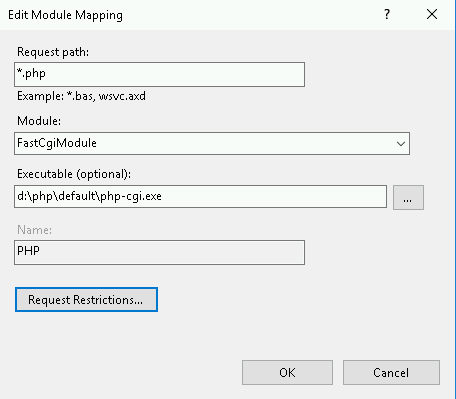
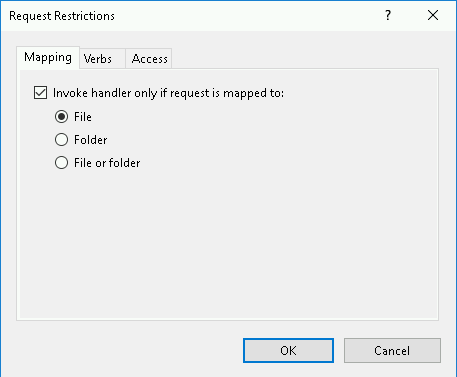
Click Request Restrictions to get the following screen where you can configure and set handler mappings:
Want to learn how to properly configure PHP on IIS?