Redirect HTTP to HTTPS

In this post I provide you various HTTP to HTTPS redirection methods, for Windows Server IIS and Linux Apache. Use these examples to your advantage to secure the traffic between your visitors and your website.
Technical SysOps blog, where topics include Sysadmin, DevOps, computers, servers, web, MySQL, database, virtualization, optimization and security
Technical SysOps blog, where topics include Sysadmin, DevOps, computers, servers, web, MySQL, database, virtualization, optimization and security

In this post I provide you various HTTP to HTTPS redirection methods, for Windows Server IIS and Linux Apache. Use these examples to your advantage to secure the traffic between your visitors and your website.

How to let MySQL Connector/NET and Entity Framework play nicely. This blog post is a quicky and an oldy… Since we still receive a reasonable amount of questions about this topic at the customer service of my employer I’m posting…
This post describes some of the IIS URL Rewrite Module web.config equivalents of commonly used Apache .htaccess settings. You'll learn how to translate .htaccess content to IIS web.config, this is useful when you need to migrate your website from Apache to Windows Server IIS.
In this article you'll learn how to install and set up PHP with the Windows Cache Extension (WinCache) on windows IIS web servers. WinCache enabled PHP gives a great PHP performance boost for your WordPress-, Drupal or Joomla website. This post will show you it's not hard to set up high performance PHP hosting on IIS.
Removing ETag response headers is not an easy task in Windows Server IIS web servers. Here I show you how to properly remove ETag HTTP response headers with an IIS Rewrite Module Outbound rewrite rule.
![[HttpException (0x80004005): The length of the URL for this request exceeds the configured maxUrlLength value.]](https://cdn.saotn.org/wp-content/uploads/2025/06/Length_of_URL_for_request_exceeds_maxUrlLength_value-11-768x422.png)
The length of the URL for this request exceeds the configured maxUrlLength value is an IIS error telling you the length of the given URL exceeds a limit (...).

Block and filter unwanted web HTTP traffic with blocklists, on both IIS and Apache. Protect your website easily with this PHP blocklist class. Create your own HTTP web blocklist filter.
How to use MySQL Connector/NET 6.5 with MySqlClientPermission Class in partial (medium) trust
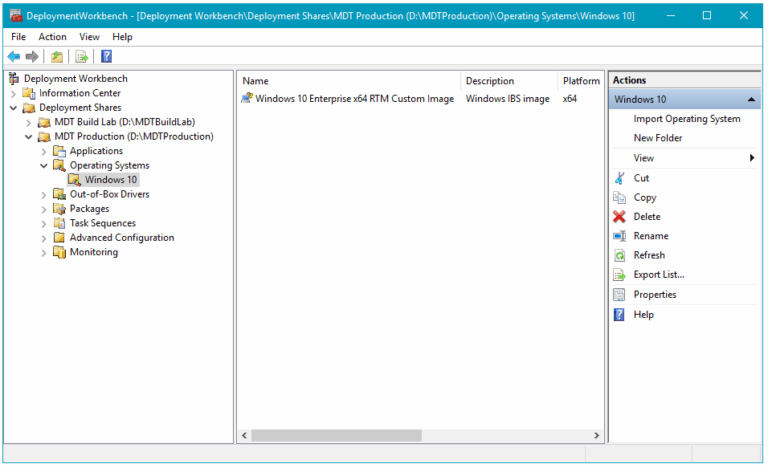
Silently deploy applications through Windows Deployment Services (WDS) / Microsoft Deployment Workbench

Clean up WordPress post revisions easily with one (1) simple SQL statement. Delete WordPress post revisions, turn them off and speed up your WordPress blog.

Here is a Linux Bash shell script to check whether an IP address is listed in a DNSBL blacklist, or RBL. Using this script in Bash you can quickly test if an IP address is blacklisted.
When you host your PHP website on Windows Server IIS, you may receive an "No input file specified" error message, when a HTTP request is made to non-existing .php files. When this happens you probably have no Request Restrictions configured in IIS PHP handler settings. Here is how to fix the "no input file specified error" with PHP and IIS.

It's possible to restrict System.Net.SocketPermission, for example, for an external MySQL connection. Here is your "Granting limited SocketPermission in ASP.NET 2.0 medium trust" how-to.

![[HttpException (0x80004005): The length of the URL for this request exceeds the configured maxUrlLength value.]](https://cdn.saotn.org/wp-content/uploads/2025/06/Length_of_URL_for_request_exceeds_maxUrlLength_value-11-150x150.png)

