Enable NTFS long paths through GPO in Windows Server
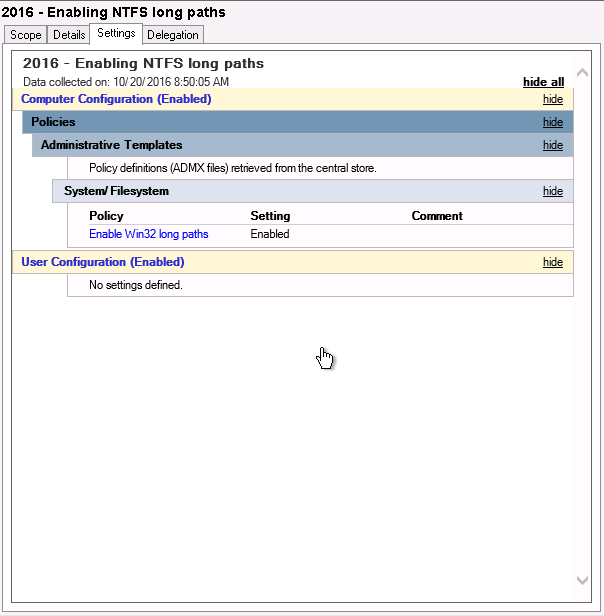
Windows Server 2016 was released last week, meaning we can finally lift the idiotic 260 characters limitation for NTFS paths. For this, you use a GPO or Group Policy Object in Windows Server.
Technical SysOps blog, where topics include Sysadmin, DevOps, computers, servers, web, MySQL, database, virtualization, optimization and security
Technical SysOps blog, where topics include Sysadmin, DevOps, computers, servers, web, MySQL, database, virtualization, optimization and security

Windows Server 2016 was released last week, meaning we can finally lift the idiotic 260 characters limitation for NTFS paths. For this, you use a GPO or Group Policy Object in Windows Server.

To get and set File Server Resource Manager NTFS quota you now have to use PowerShell FileServerResourceManager cmdlets. It's pretty easy to get directory information with Get-FsrmQuota and change dirquota.exe using Set-FsrmQuota.

![[HttpException (0x80004005): The length of the URL for this request exceeds the configured maxUrlLength value.]](https://cdn.saotn.org/wp-content/uploads/2025/06/Length_of_URL_for_request_exceeds_maxUrlLength_value-11-150x150.png)

