

In short, here are the few steps you need to perform to enable HTTP/3 in Windows Server 2022. Enabling HTTP/3 increases IIS web performance greatly. I can’t provide you with full details and how-to’s, as I don’t know your network. To enable HTTP/3 in Windows Server 2022 IIS 10.0, in a nutshell:
- Add registry values to EnableHttp3 and EnableAltSvc:
reg add "HKEY_LOCAL_MACHINE\SYSTEM\CurrentControlSet\services\HTTP\Parameters" /v EnableHttp3 /t REG_DWORD /d 1 /f

reg add "HKEY_LOCAL_MACHINE\SYSTEM\CurrentControlSet\services\HTTP\Parameters" /v EnableAltSvc /t REG_DWORD /d 1 /f- Verify QUIC traffic (443/UDP) is allowed on your server and in your network:
(Get-NetFirewallRule) | ?{
  $_.DisplayName -eq "World Wide Web Services (QUIC Traffic-In)"
}- If
Get-NetFirwallRuleprovides no results, open up your firewall to allow QUIC traffic for Internet Information Services (IIS) [UDP 443]:
New-NetFirewallRule -DisplayName "Allow QUIC" -Direction Inbound -Protocol UDP -LocalPort 443 -Action Allow -LocalOnlyMapping $true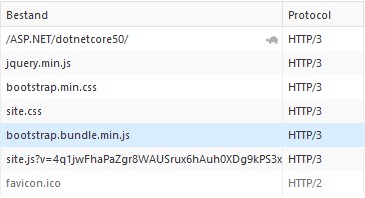
These steps worked in my environment with Windows Server 2022 build 10.0.20348. But only on a freshly installed server, not in an in-place upgraded server from pre GA to this GA build. Further, a lot depends on your network: do you allow QUIC traffic traffic through your firewall? There are some different circumstances and results mentioned in the linked blog post below.
TLS 1.3 cipher suites for HTTP/3 QUIC
TLS 1.3 is required for HTTP/3. The TLS 1.3 cipher suite TLS_CHACHA20_POLY1305_SHA256 doesn’t seem to be required for having HTTP/3 – QUIC support. But if necessary, enable this TLS 1.3 cipher suite TLS_CHACHA20_POLY1305_SHA256 as follows:
Enable-TlsCipherSuite -Name TLS_CHACHA20_POLY1305_SHA256 -Position 0And verify it’s enabled: (Get-TlsCipherSuite).Name | Select-String CHACHA
You may find more information about enabling HTTP/3 in Windows Server 2022 IIS in Tommy Jensen‘s post Enabling HTTP/3 support on Windows Server 2022.
QUIC – HTTP/3 – performance counters
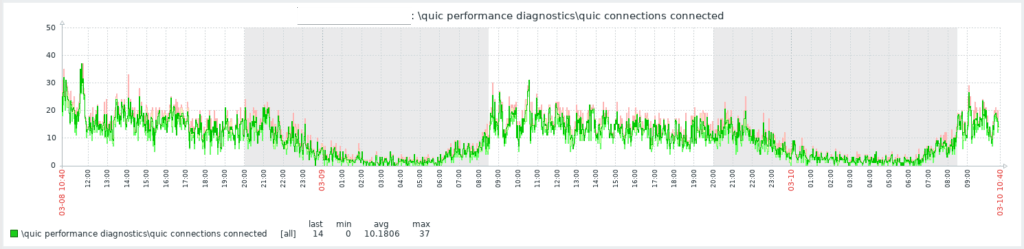
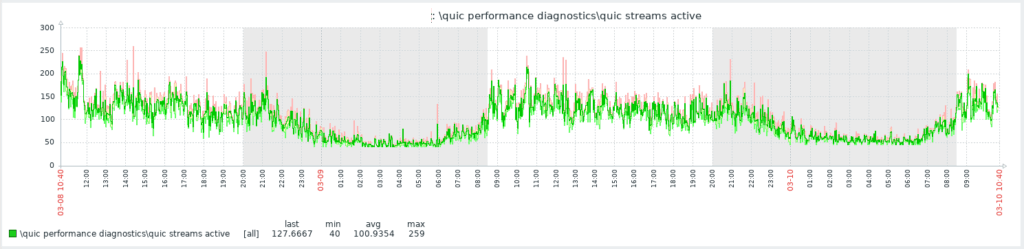
In your monitoring tool, you can get metrics from the (HTTP/3) \QUIC Performance Diagnostics\* performance counters, for example for in your Zabbix monitoring and templates. Use Performance Counters:
- \QUIC Performance Diagnostics\quic connections connected
- \QUIC Performance Diagnostics\quic streams active
Neat! 🙂





![[HttpException (0x80004005): The length of the URL for this request exceeds the configured maxUrlLength value.]](https://cdn.saotn.org/wp-content/uploads/2025/06/Length_of_URL_for_request_exceeds_maxUrlLength_value-11-150x150.png)

