Skip to content
No results
  • Sysadmins of the North
    • About
    • Donate & Support Sysadmins of the North
  • Codebase
  • GNU/Linux
  • Useful
  • Web applications
    • WordPress
  • Windows Server

Forgot Password?

← Back to login
Login
Logo Sysadmins of the North website
  • Sysadmins of the North
    • About
    • Donate & Support Sysadmins of the North
  • Codebase
  • GNU/Linux
  • Useful
  • Web applications
    • WordPress
  • Windows Server
Logo Sysadmins of the North website
  • WordPress

Query all WordPress posts in MySQL not having a Yoast SEO meta description

Query all posts in WordPress not having a Yoast SEO meta description yet. You can run this on your MySQL prompt or in phpMyAdmin

  • Jan ReilinkByJan Reilink
  • On02-12-2022
Read MoreQuery all WordPress posts in MySQL not having a Yoast SEO meta description
Save the current Workspace in which you configured the Windows Debugging Symbols path for WinDbg
  • Windows Server

Configure Windows Debugging Symbols in WinDbg

Set up debugging symbols for WinDbg in Windows and debug BSOD like a boss.

  • Jan ReilinkByJan Reilink
  • On15-11-2022
  • 1 Comment
Read MoreConfigure Windows Debugging Symbols in WinDbg
PowerShell 5.0 logo
  • Windows Server

Extract files from an MSI package

Windows has the ability to allow the MSI package (.msi file) contents to be extracted using the command line or via a script. I keep forgetting the correct msiexec.exe syntax to use to extract files from an .msi file (MSI package), so here is a short post with the command.

  • Jan ReilinkByJan Reilink
  • On02-11-2022
  • 2 Comments
Read MoreExtract files from an MSI package
virt-manager running and showing VMs in KVM
  • Windows Server

Connect to a KVM host through an ssh tunnel and arbitrary port in Windows 11 and WSL 2

Connect virt-manager to a KVM host through an ssh tunnel and arbitrary port in Windows using Windows 11 and WSL 2.

  • Jan ReilinkByJan Reilink
  • On21-10-2022
Read MoreConnect to a KVM host through an ssh tunnel and arbitrary port in Windows 11 and WSL 2
DevOps/SysOps Infrastructure as a Service flow
  • Windows Server

Windows 11 and WSL 2 DevOps environment

In this post I describe some of the settings and changes I made to make my Windows 11 and Ubuntu WSL2 into a fully fledged development environment. Here are the settings and tools I use for DevOps / SysOps on Windows.

  • Jan ReilinkByJan Reilink
  • On15-08-2022
  • 11 Comments
Read MoreWindows 11 and WSL 2 DevOps environment
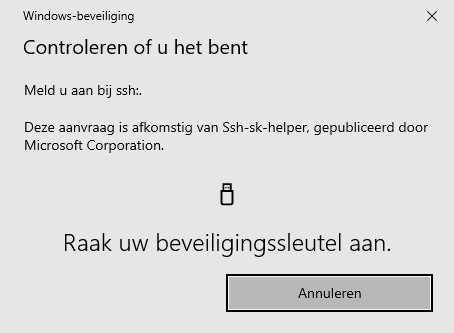
Windows Hello Security: Touch your security key
  • Windows Server

YubiKey support in OpenSSH for Windows 11

Now Win32-OpenSSH has decent support for FIDO/U2F hardware authenticators you can finally use your YubiKey for SSH authentication in Windows 11, jeej! Here is how.

  • Jan ReilinkByJan Reilink
  • On14-08-2022
  • 3 Comments
Read MoreYubiKey support in OpenSSH for Windows 11
Bash logo
  • GNU/Linux

How to display longer username in ps

Display full username in ps. The ps output truncates usernames to 7 characters and a +. If you need full usernames in Bash ps, here is how.

  • Jan ReilinkByJan Reilink
  • On05-02-2022
Read MoreHow to display longer username in ps
Microsoft SQL Server logo
  • Windows Server

Convert SqlCe database to SQL Server

How can I convert an SqlCe database to Microsoft SQL Server?

  • Jan ReilinkByJan Reilink
  • On12-01-2022
  • 2 Comments
Read MoreConvert SqlCe database to SQL Server
Umbraco logo blue
  • Web applications

How to optimize Umbraco 8 performance

Out of the box, Umbraco is a well built and pretty fast content management system. However, it is still important you perform some steps to further optimize Umbraco's performance and loading speed.

  • Jan ReilinkByJan Reilink
  • On23-12-2021
  • 2 Comments
Read MoreHow to optimize Umbraco 8 performance
  • Windows Server

3 Ways of blocking sendmail.php on IIS webserver

Here are 3 ways of blocking access to a PHP sendmail.php script on your Windows Server IIS webserver. This comes in handy if a websites on your webserver sends out spam and you need to block access to a script on a specific website or globally in IIS.

  • Jan ReilinkByJan Reilink
  • On08-12-2021
  • 1 Comment
Read More3 Ways of blocking sendmail.php on IIS webserver
Prev1 2 3 4 5 6 … 15Next
No more posts to load

Most read

DevOps/SysOps Infrastructure as a Service flow

Windows 11 and WSL 2 DevOps environment

2022-08-15
a rusted iron gate with a chain hanging from it

Test SMTP authentication and StartTLS

2014-05-17
Start Internet Information Services (IIS) Manager as Administrator

Install and setup IIS Manager for Remote Administration in Windows Server IIS (step by step)

2021-04-22
Install IIS and Windows Features using PowerShell

Install IIS in Windows 11 using PowerShell

2024-02-06
Microsoft Internet Information Services (IIS) logo

Remove IIS Server version HTTP Response Header

2014-07-06

I'm in the proces of moving CMS and URLs, expect missing posts and dead links, I'll add them as soon as possible. Many internal links still may end up at the previous version of this blog on a temp. URL.

ComputerComputer
  • CVE-2022-35838
  • CVE-2016-10957

Trade crypto with Bitvavo ₿

About us

Sysadmins of the North. A technical SysOps blog, where topics include Sysadmin, DevOps, computers, servers, web, MySQL, database, virtualization, optimization and security.

  • About Sysadmins of the North

Quick Links

  • ITFAQ.nl
  • Producten uit de Streek
  • Donate

Most Viewed Posts

  • List all SPNs used in your Active Directory
  • Install OpenSSH in Windows Server
  • Remove IIS Server version HTTP Response Header
  • Test SMTP authentication and StartTLS
  • Use PowerShell with SSL client certificates for HTTPS GET requests
  • “The length of the URL for this request exceeds the configured maxUrlLength value”
  • Install IIS in Windows 11 using PowerShell

Contact Info

  • Email: jan-nospam@saotn.nl (remove '-nospam')
  • Website: saotn.org
Copyright © 2025 - WordPress Theme by Creative Themes